Updates & Changelog
A full history of versions and changes to Bills io.
Ongoing updates and changes to Bills io. Have a feature request or found a bug? Open a GitHub issue ↗
Bills io 4.0 — A Fresh Look
April 2026
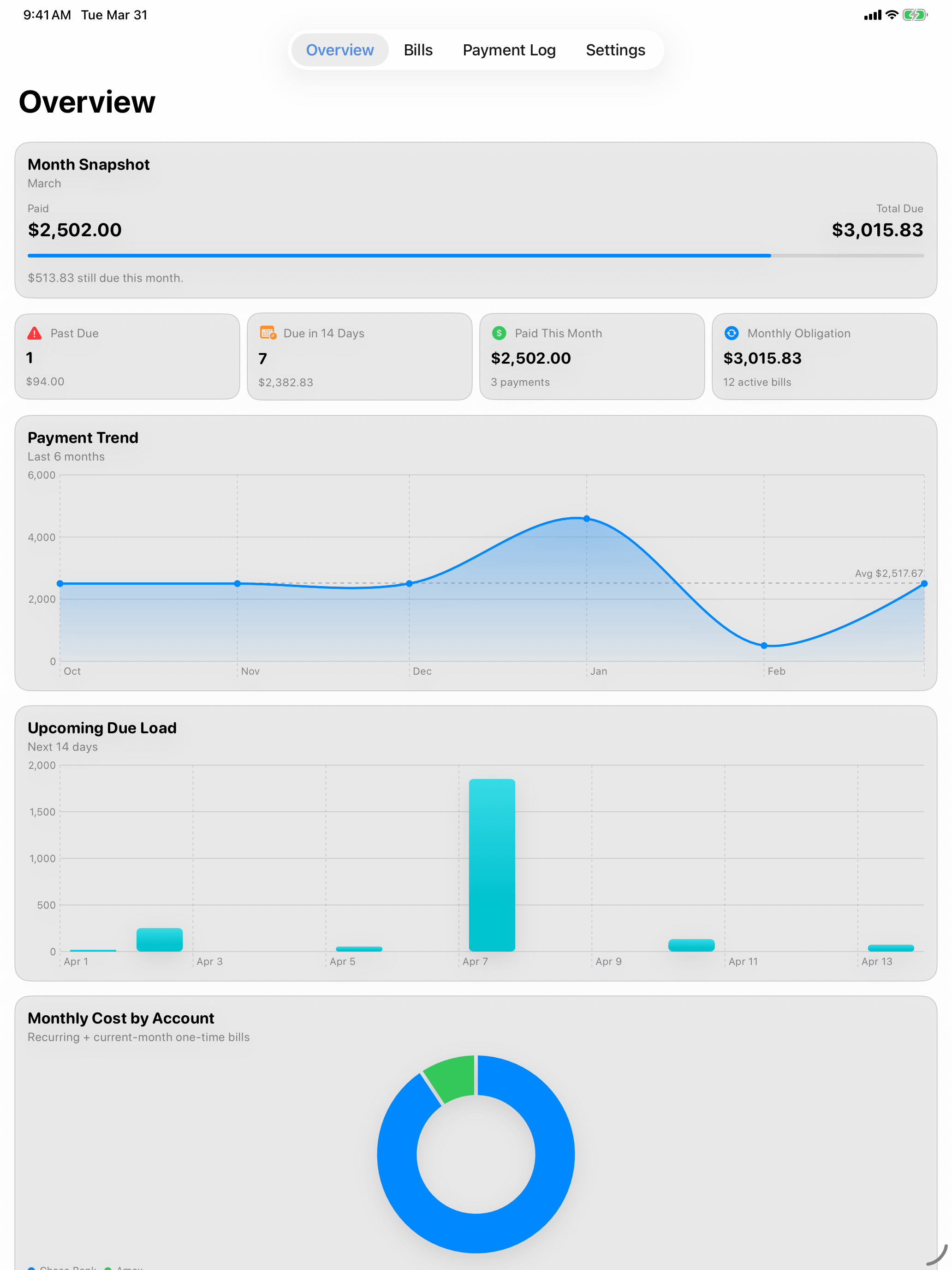
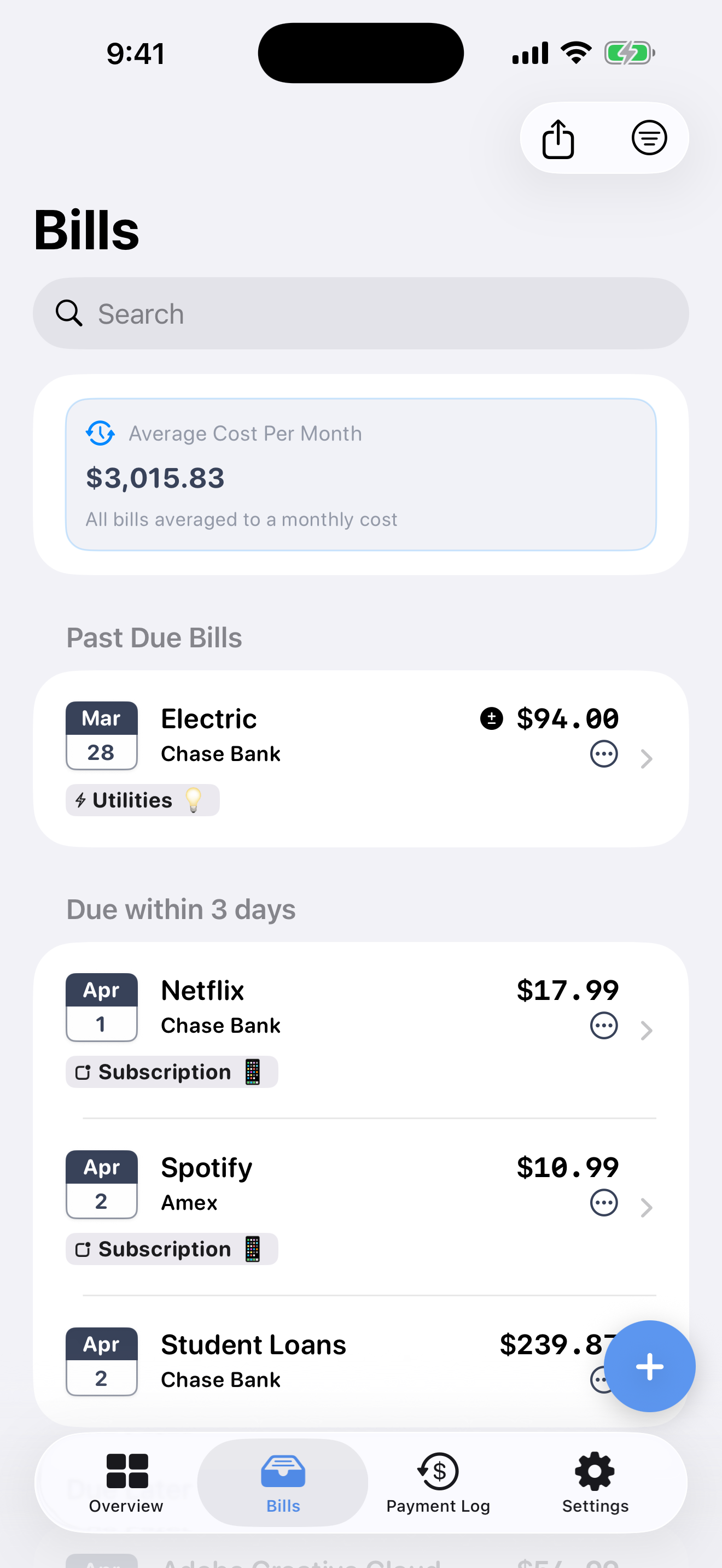
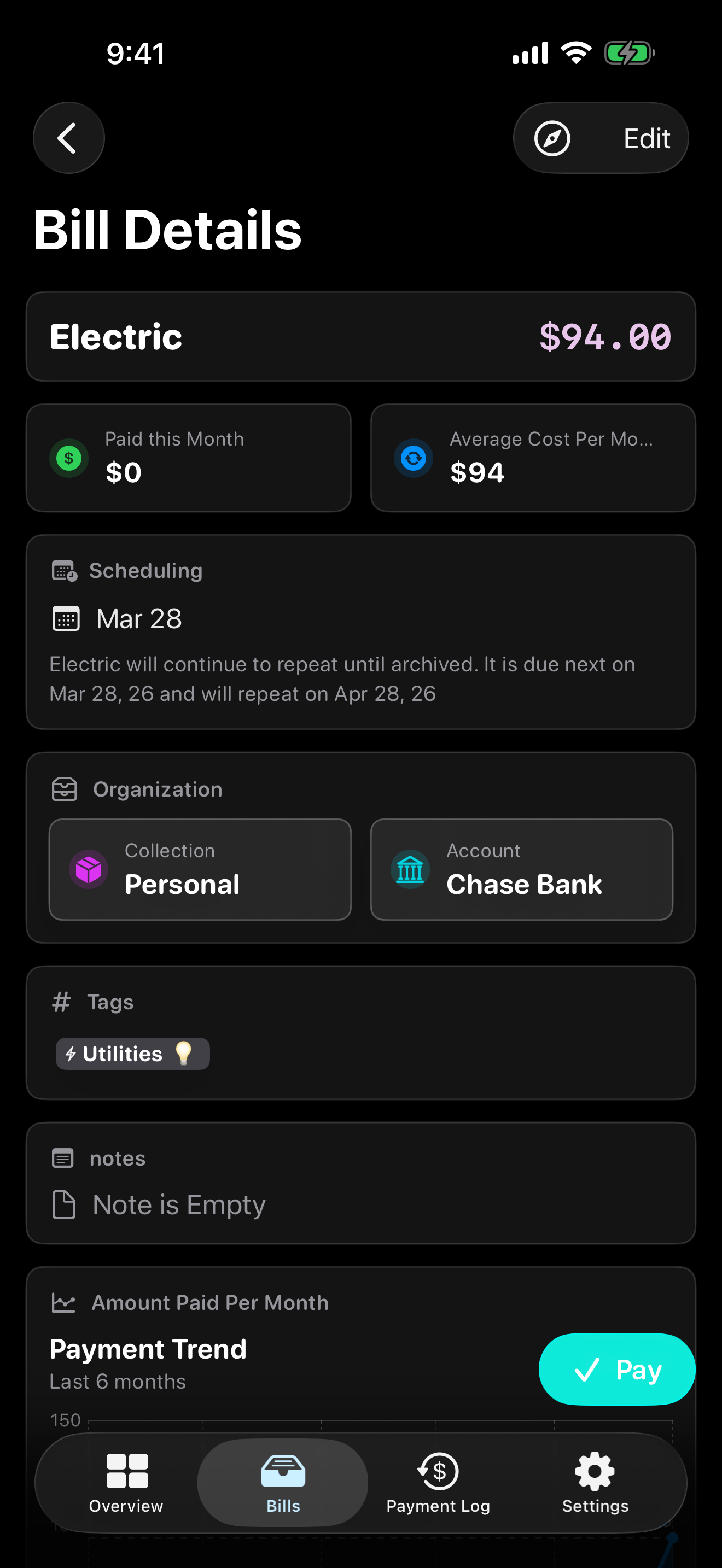
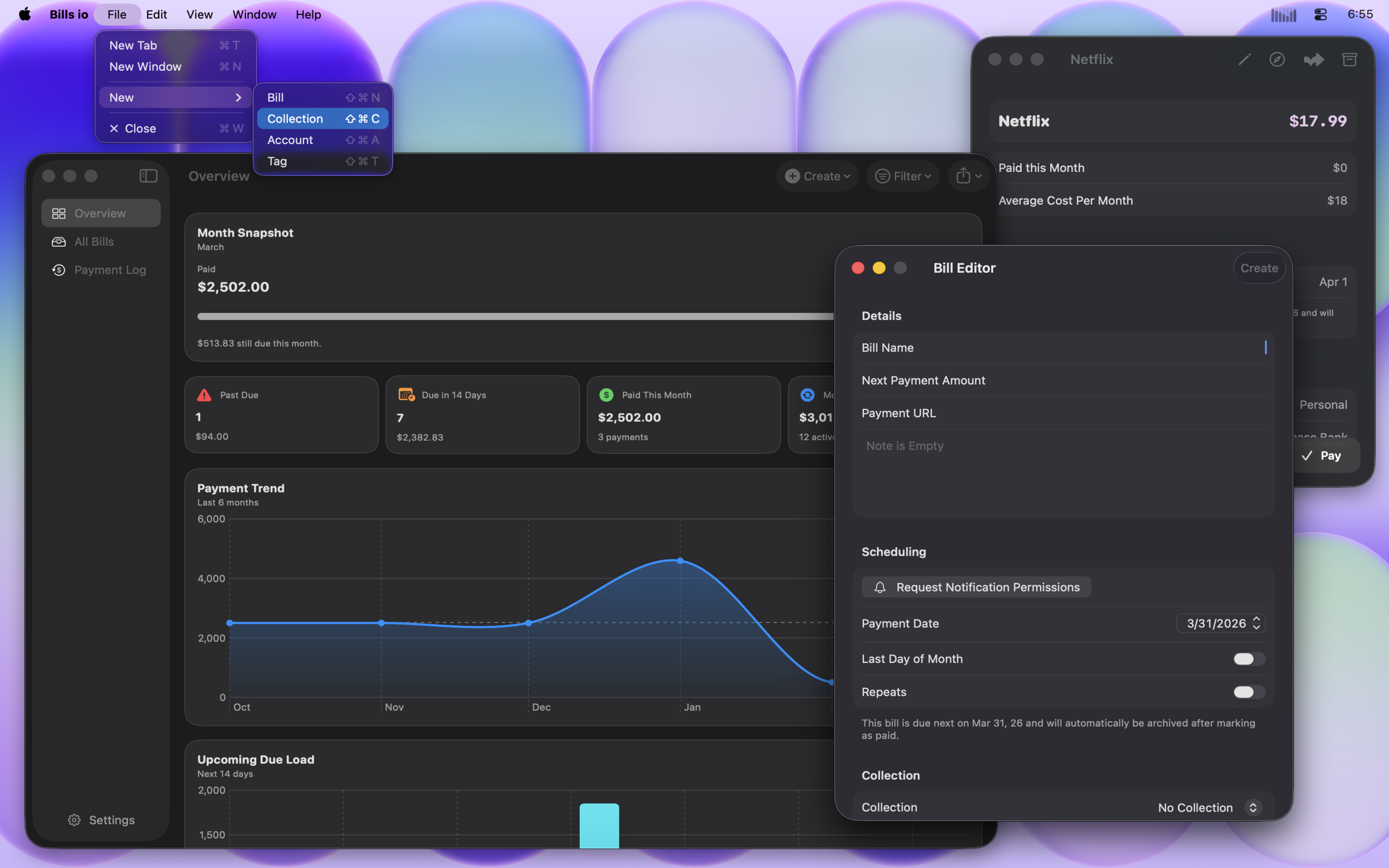
Bills io 4.0 is a visual overhaul. The entire interface has been redesigned to feel cleaner, more modern, and more at home on the latest versions of iOS, iPadOS, and macOS.
What's New
Redesigned Interface
The UI has been rebuilt from the ground up — lighter, sharper, and easier to navigate. Every screen got attention, from the bill list to the overview pages. If you've been using Bills io for a while, it should feel familiar but noticeably better.
Updated App Icon
New look on the outside too. The refreshed icon better reflects where the app is headed.
Bug Fixes & Stability
A round of under-the-hood fixes to smooth out rough edges and improve reliability across devices.
Bills io 4.0 is available now as a free update on the App Store for iPhone, iPad, and Mac.
Thanks for using Bills io — and for supporting indie development.
Overview
A lot of work went into this release and will allow for easier updates in the future. All of the code is now shared between iOS, iPad, and macOS versions to bring features out faster and with more consistency between platforms. Thank you for your support, and I hope you enjoy this release!
This is a major update that brings a lot of behind the scenes maintenance for future features. But, rest assured, there are a lot of great additions included as well.
Cheers 🍻
P.S. This page will include patch updates notes for v3.0.1 and v3.0.2.
Features
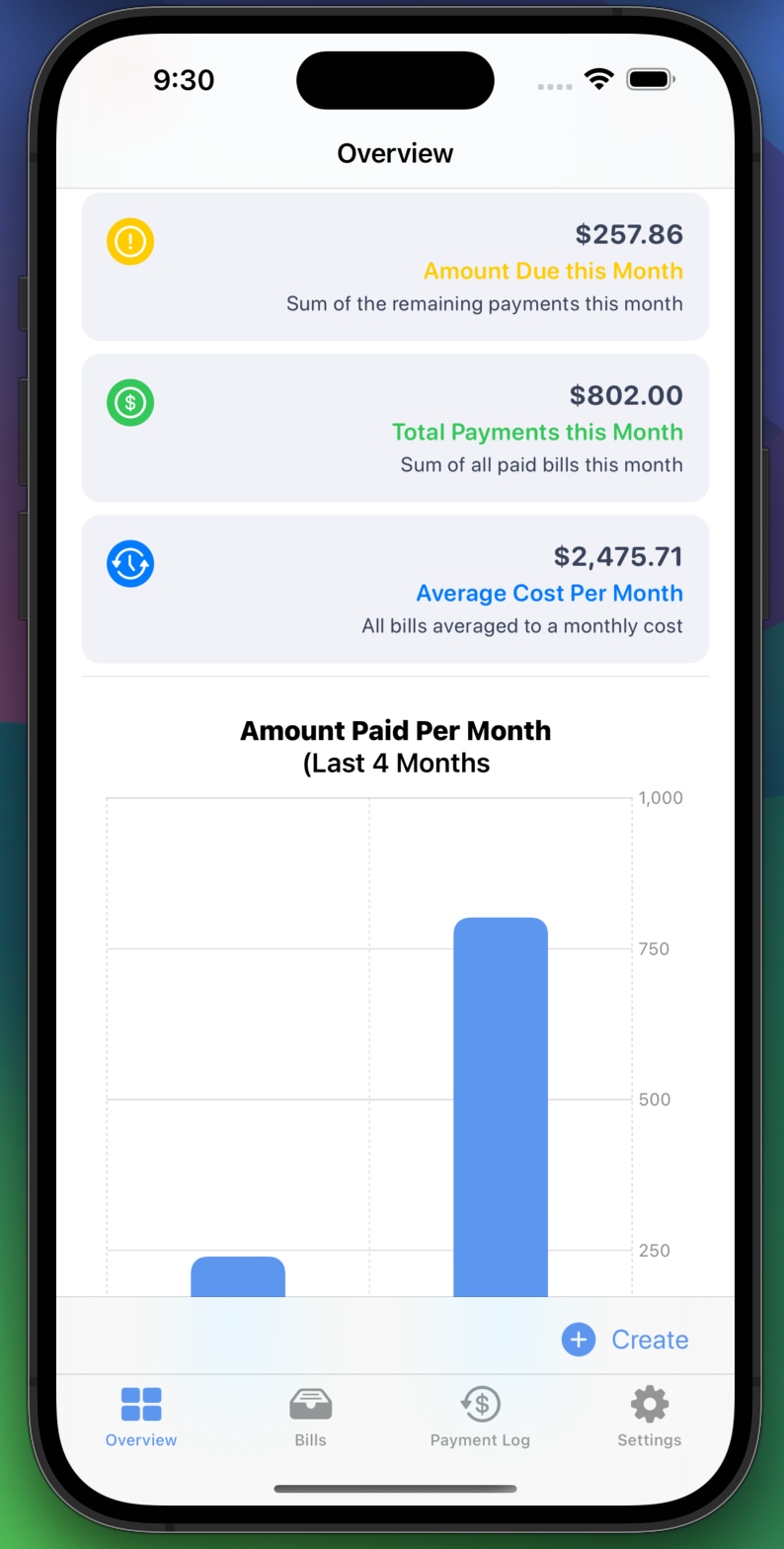
📊 Graphs! (Premium)
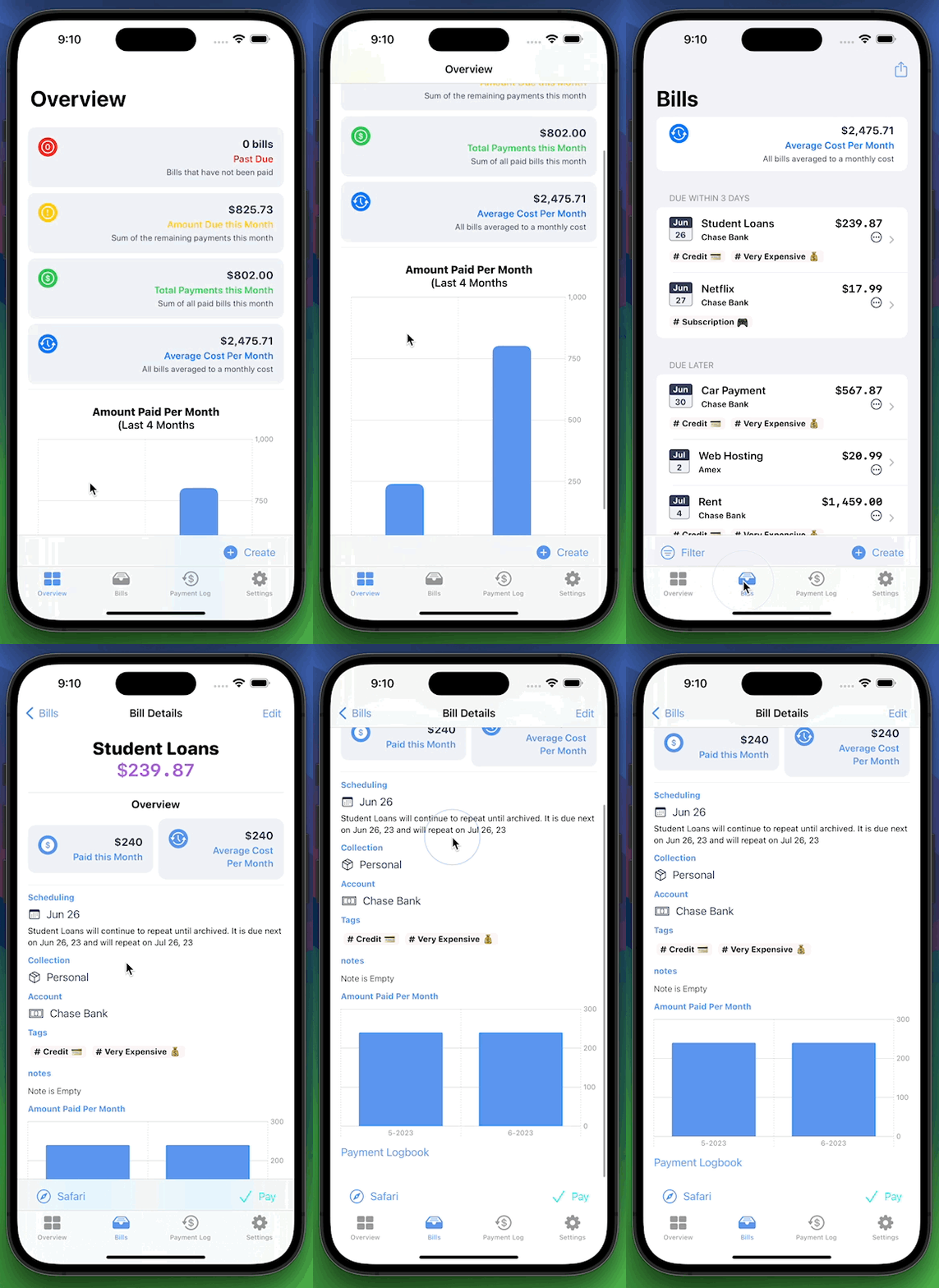
You can now see a visual overview of how much money is going out per month or dive into each bill and see month by by month amounts
🔎 Search
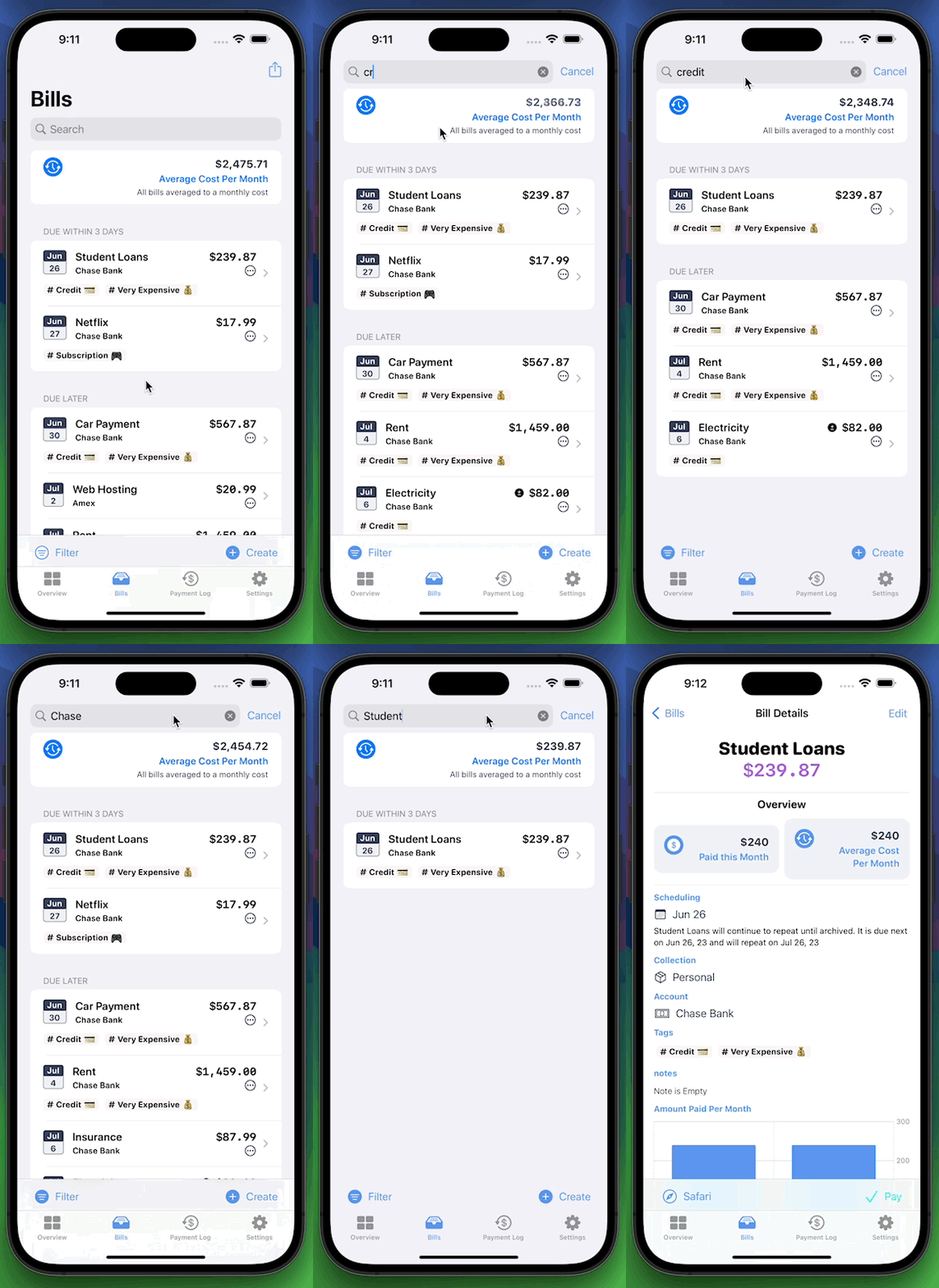
Search for Bills or Payments by name, account name, or tag name.
🗄️ Filtering (Premium)
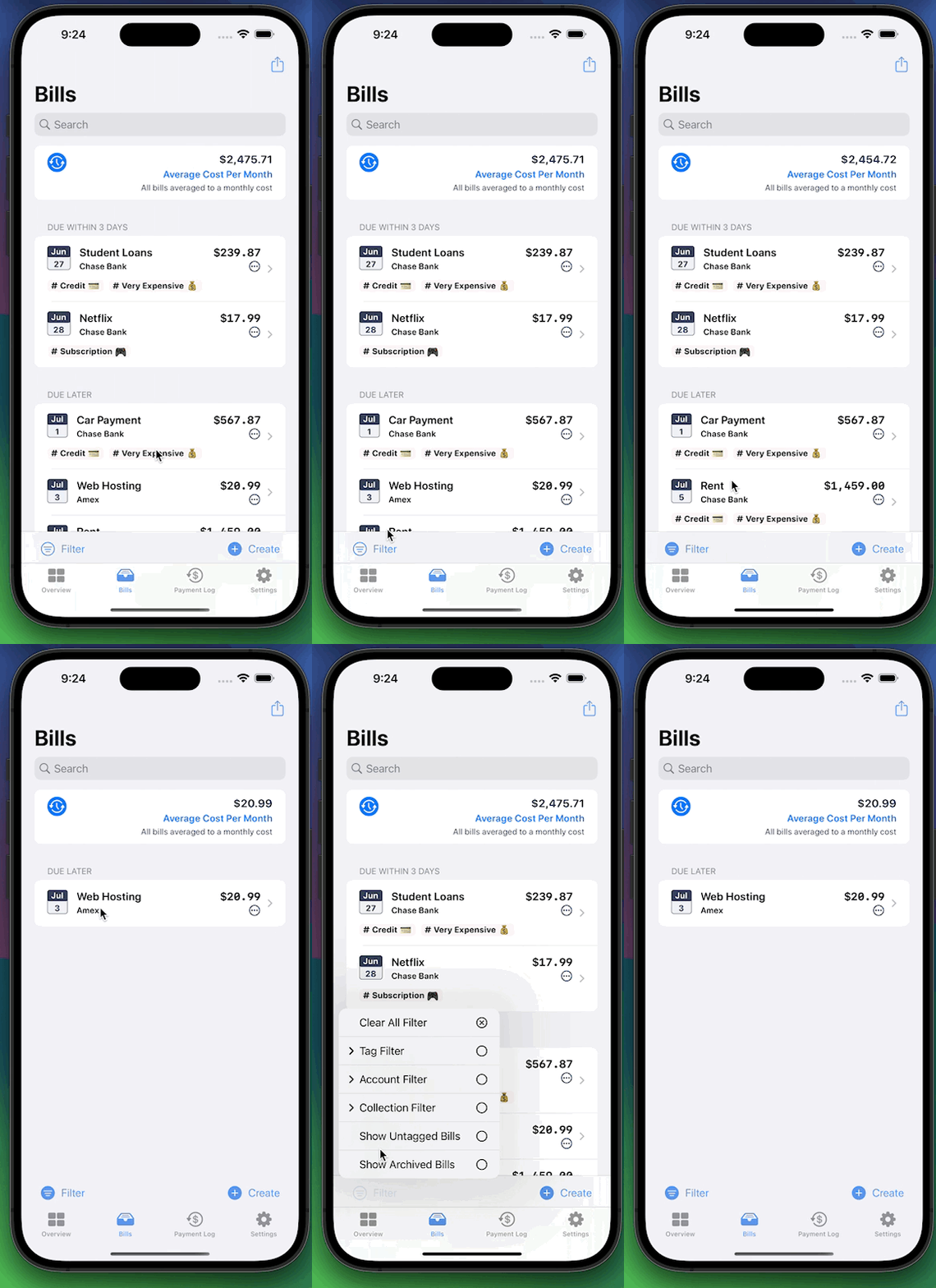
Filters have replaced the multiple list options to organize bills. You can now stay in the same list and change filters for various accounts, tags, collections, or see all of the archived bills. (Premium for Account, Tag, and Collection filtering)
🪟 Windowing
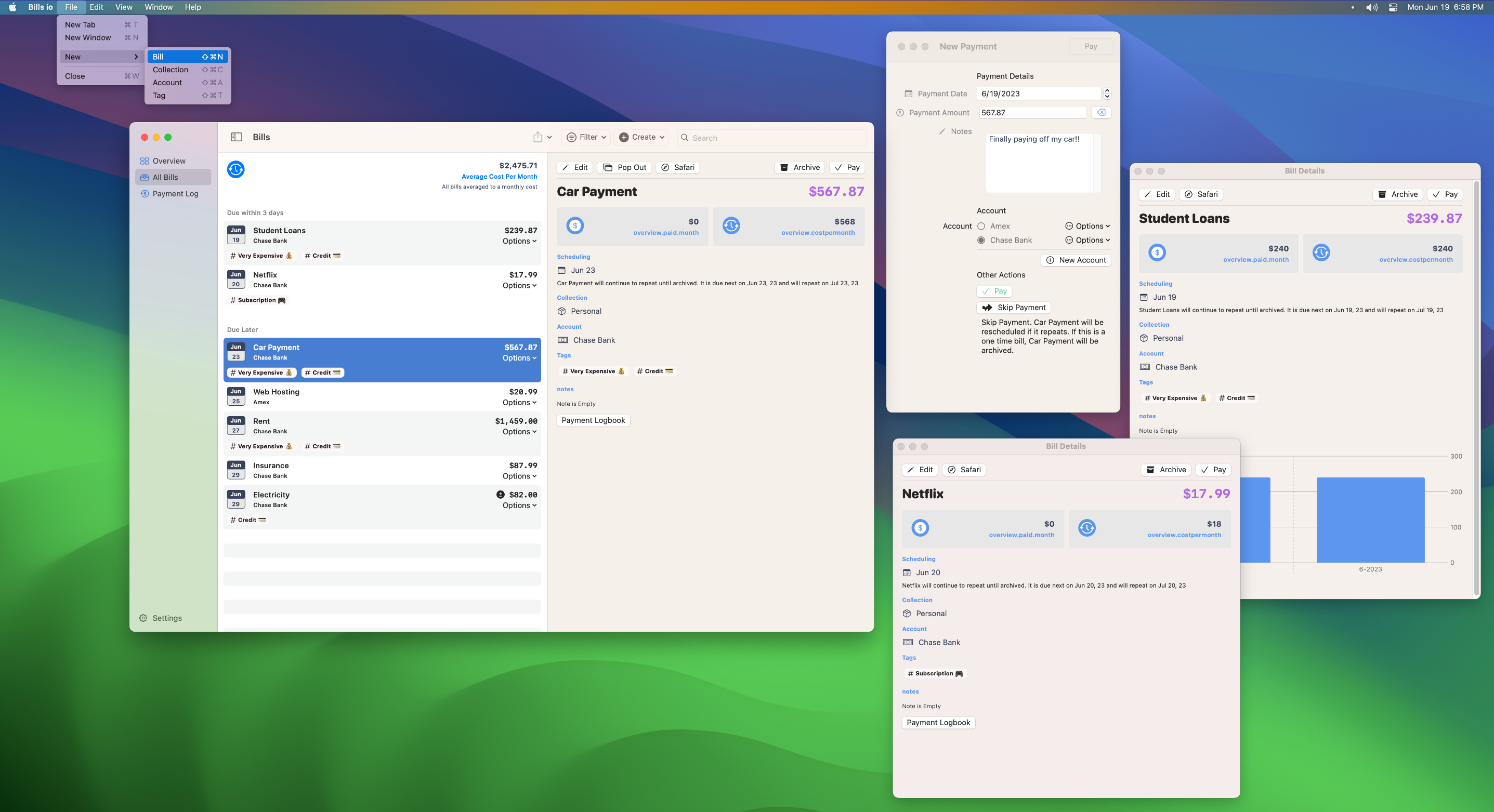
The macOS app has been re-worked to include better native window management with keyboard shortcuts for creating new items. There is also support added to the iPad for popping out windows for individual bills. Keep a bunch of bills open in Stage Manager while paying in Safari for instance. (More window updates will be coming)
🤓 Redesigned Overview Section
Added graphs and general information blocks to the overview section to see what is due when and for how much.
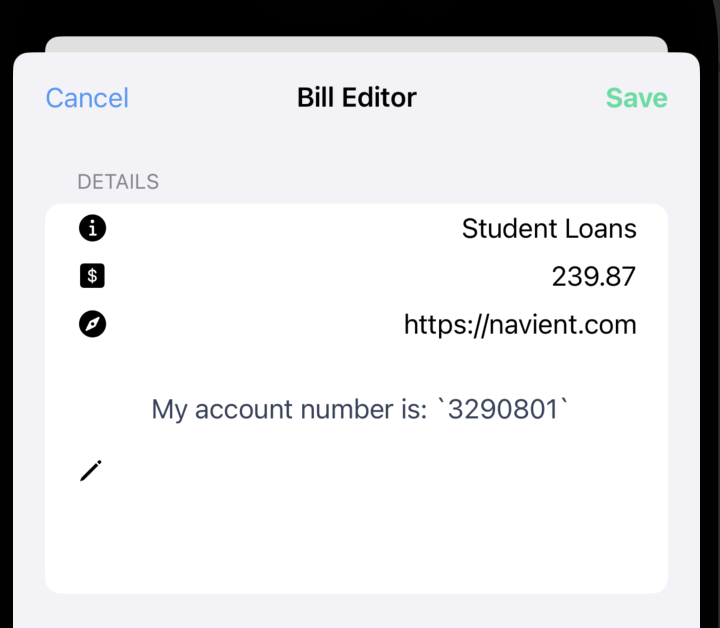
📝 Bill Notes (Premium)
Jot down any information and save it with a bill. Account numbers, addresses, or anything else.
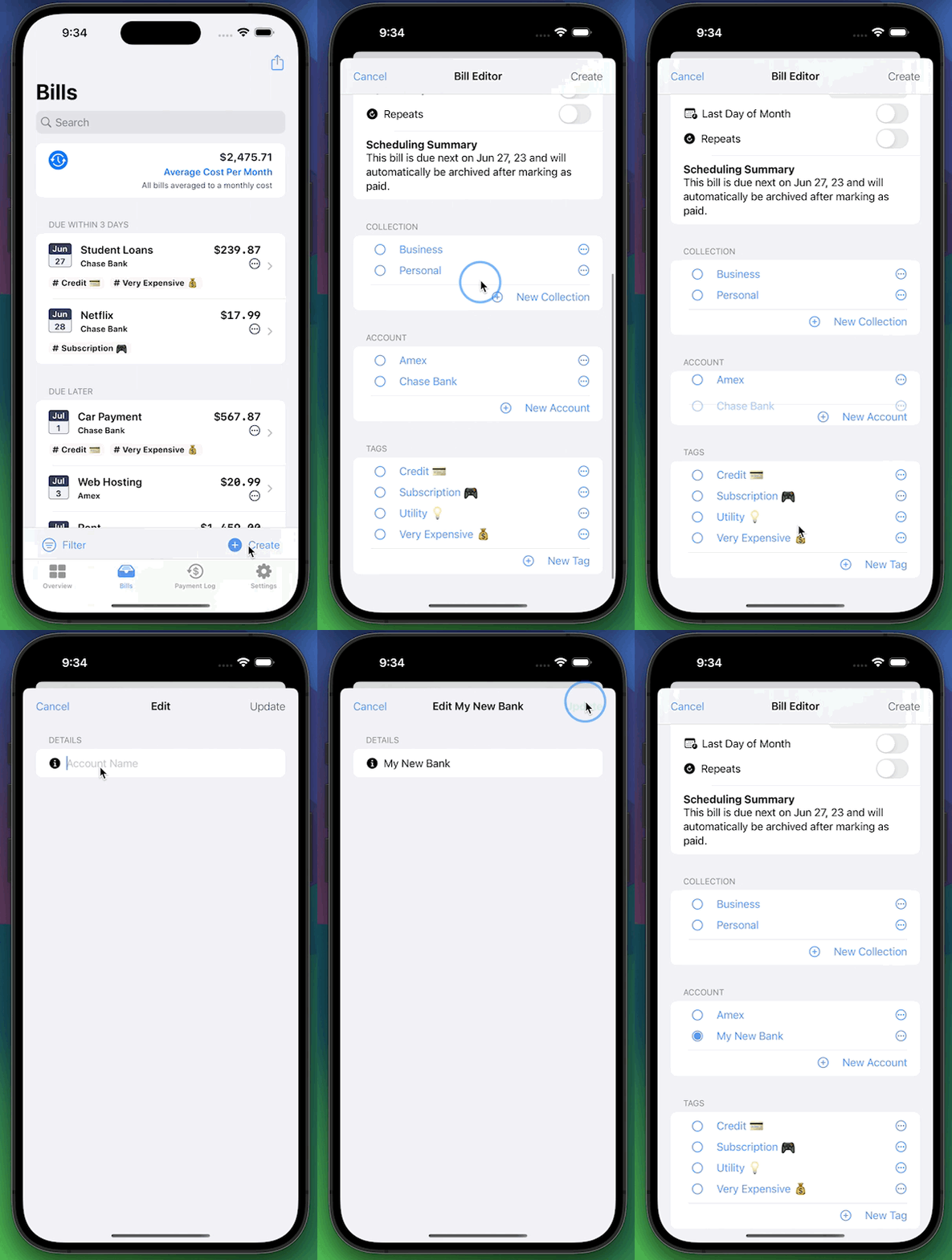
📑 Inline Account, Tag, and Collection selectors (Premium)
You can now make edits to any of your organizational tools in-line and while paying or editing a bill.
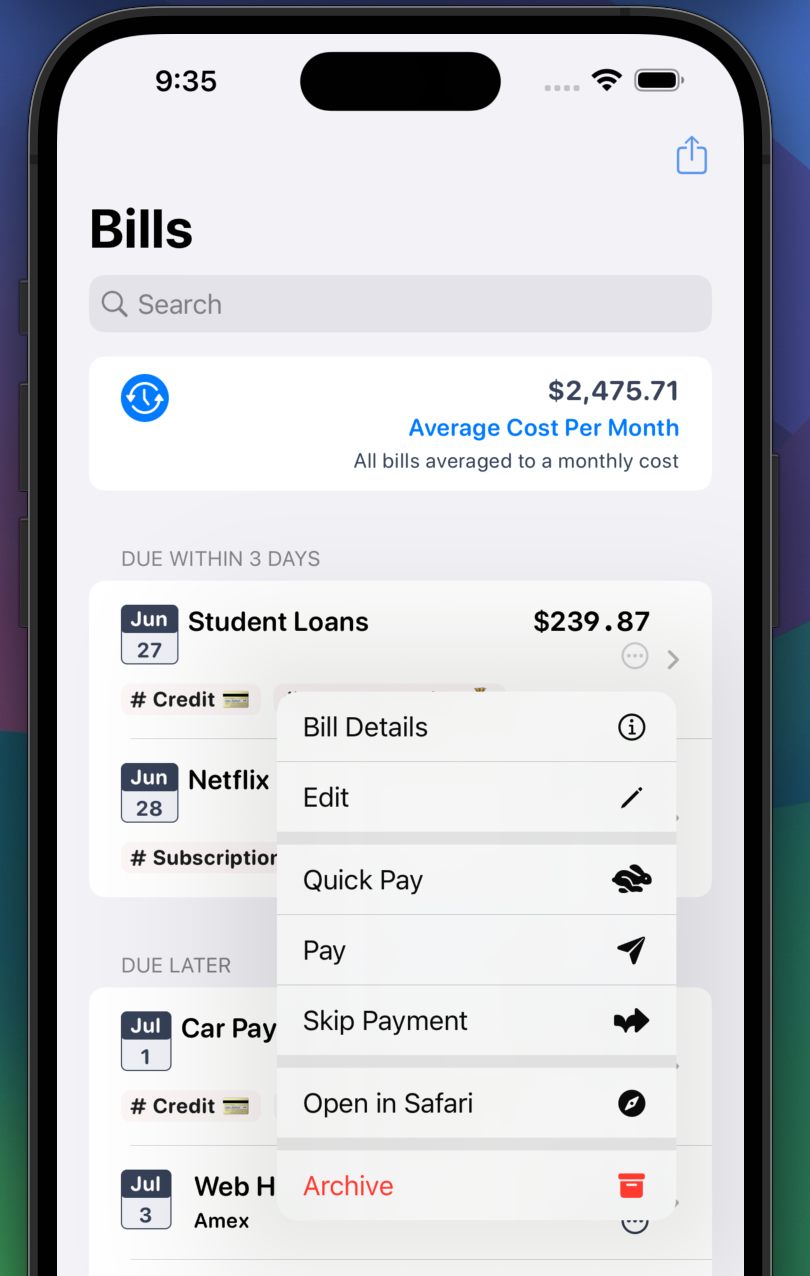
🧑💻 Additional Menus
Adds extra options to the menus for Bills and Payments.
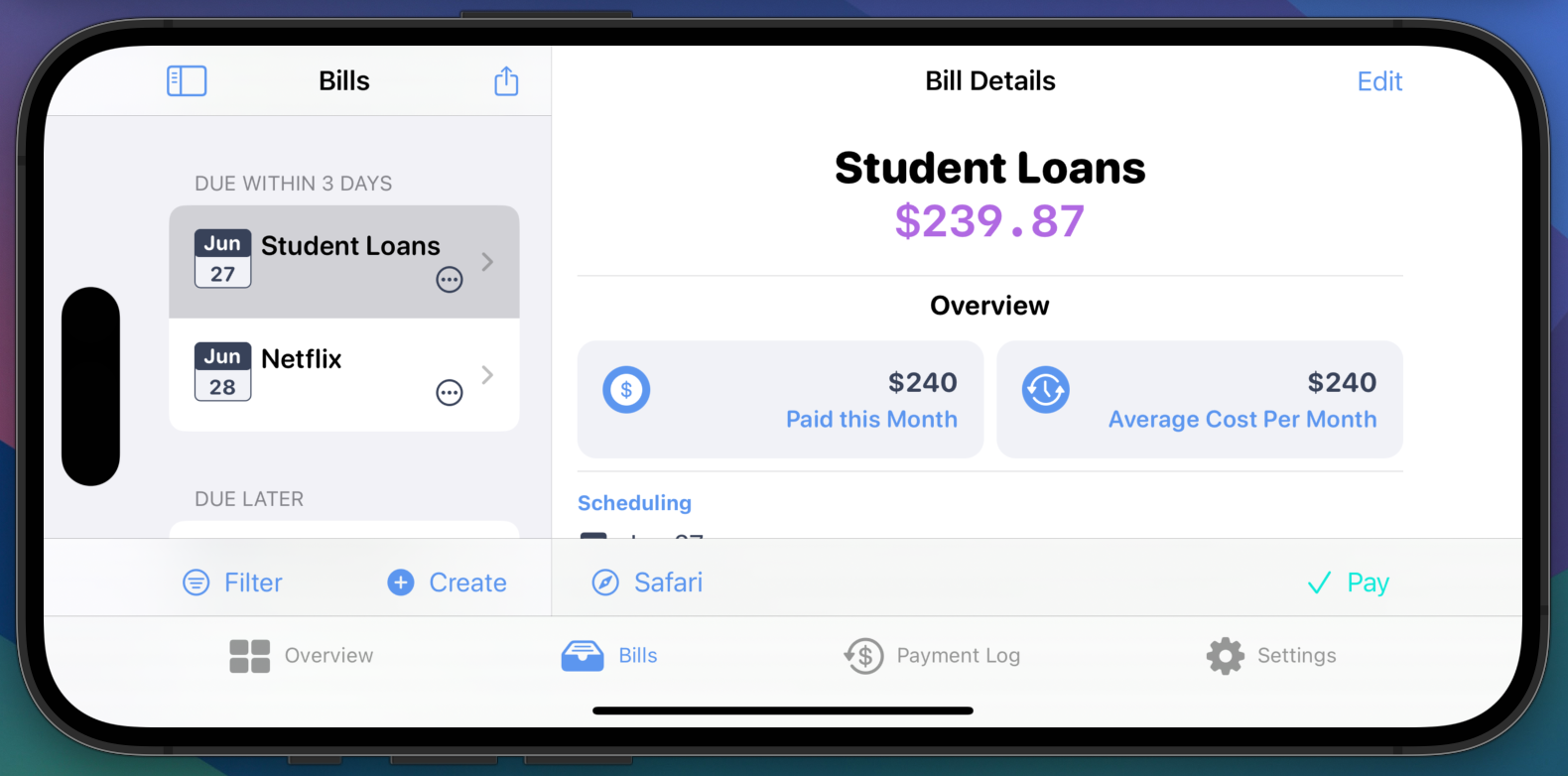
⛰️ Landscape Interface
Use Bills io in any orientation
🔨 Fixes
- Adding urls no longer need http:// or https:// for Safari to open the link
- Updated the purchasing logic for in-app purchases
- Includes a new purchase overview block to show exactly which subscription is bought and in use
- Updated the Spanish translations
- v3.0.2 Search is case-insensitive
- v3.0.2 Bill and Payment list performance improvements
Overview
Happy 🏖 summer! This update has a long requested feature for many, data exporting. You can now export all of your Bills or Payments to a CSV (Comma Separated Value) file and open in Excel / Numbers. Drilling down into a filtered list will allow you to export a subset of Bills or Payments. For instance, if you have a Collection for Work, you can just export those payments.
There are many changes planned for this fall, but before that, the Bill listing page has been cleaned up. There is now an accented calendar icon that shows your next due dates. Feel free to tap that for a quick way to access the context menu.
Thanks for everyone's support, and enjoy 🍻
Features
📃 Export Documents (Premium only)
Pro tip, filter Bills by Account, Collection, or Tag to export specific Bills or Payments
🎨 Refreshed Bill UI
Easier to see due dates
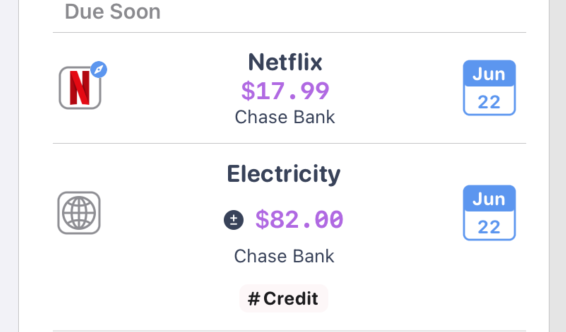
🕸 Quick tap the favicon to jump to the Bill website URL
🏷 Tags are now visible in the Bill list
🔨 Fixes
- Monthly cost calculation for non-repeating bills is resolved
- Deletion bug on archiving all bills in section
- Updated Spanish translations
Features
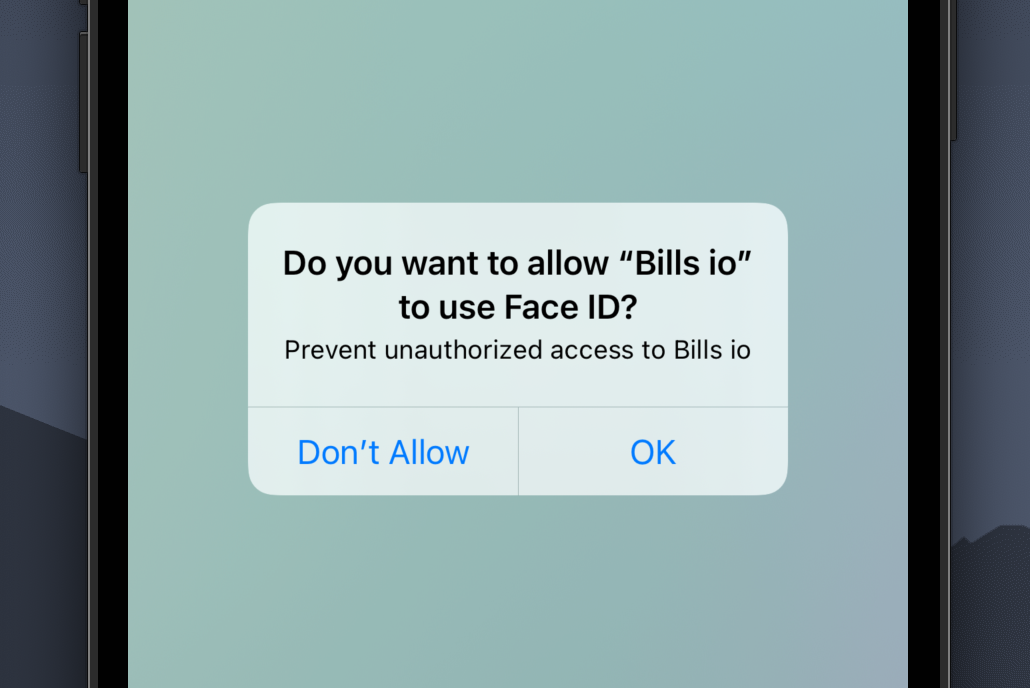
🔒 Face ID & Touch ID Available (iOS & iPad OS only)
Lock Bill io with Face ID or Touch ID to prevent any unauthorized access to your Bills.
✈️ Share Bills io with friends
Bills io is a small app built by just me, it would mean everything to share it if you love it ❤️
Features
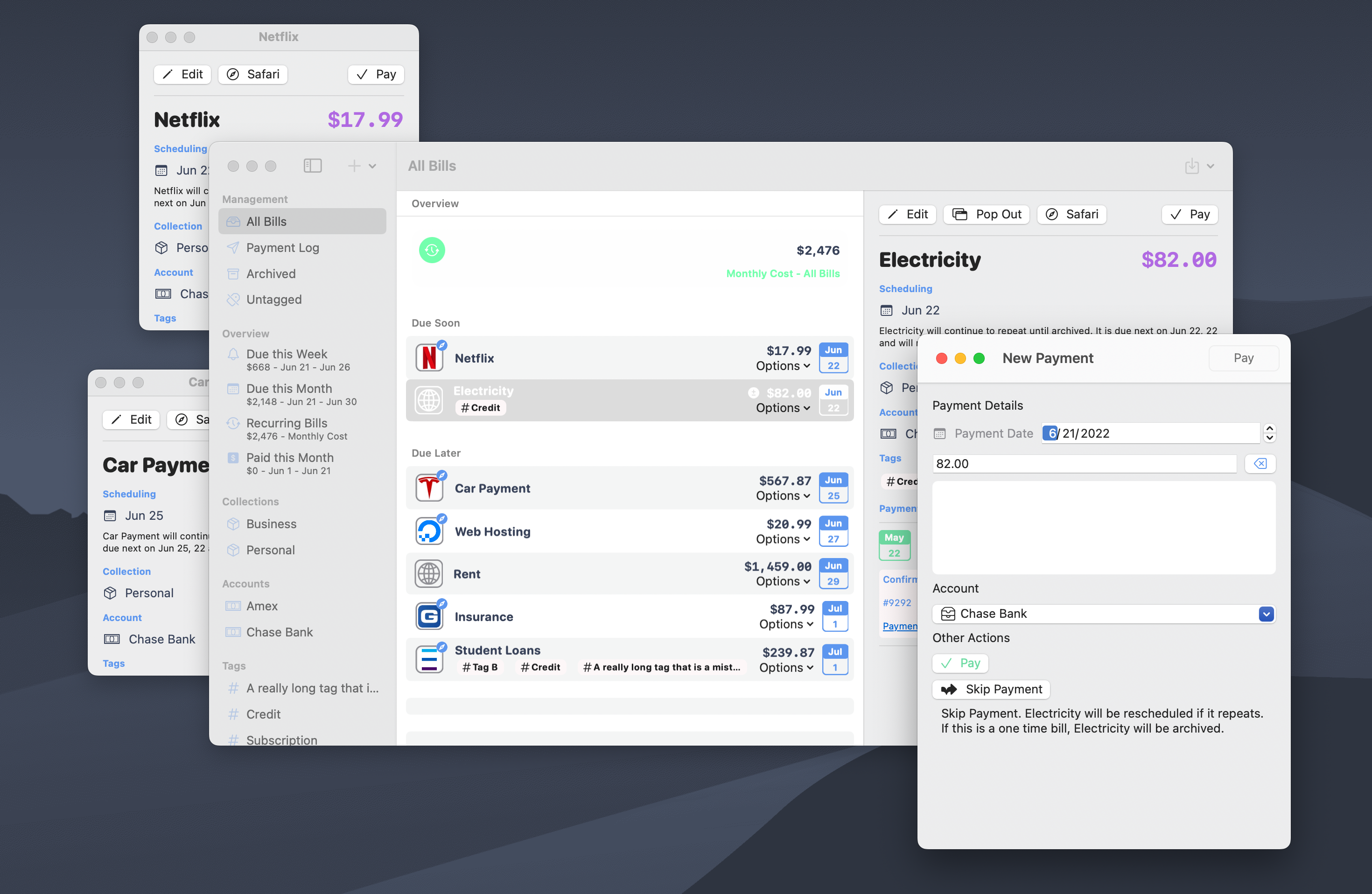
🪟 Native macOS windowing
Bills io is now written for the Mac with native macOS window management
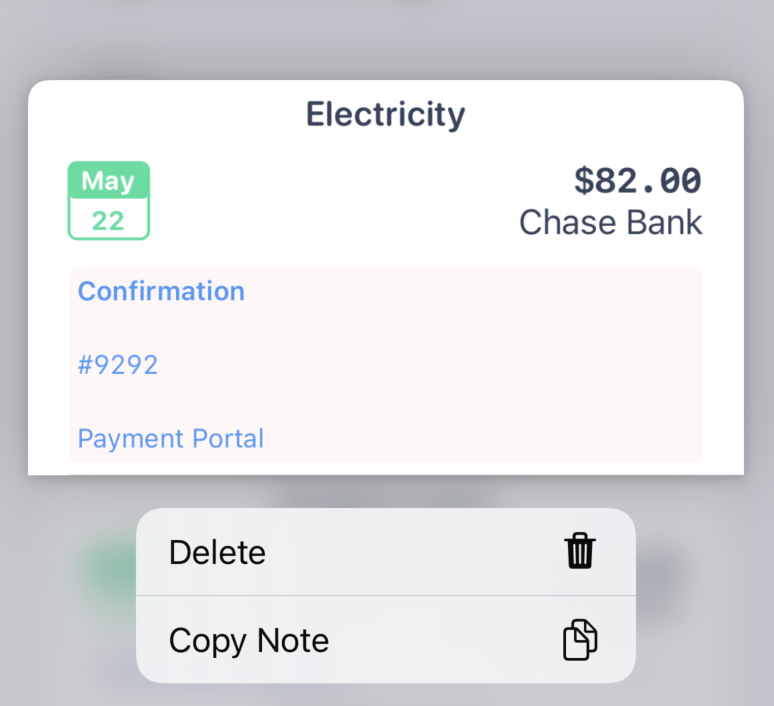
📝 Payment note copying
Copy your notes from previous payments to grab that confirmation number you didn't know you needed until now.
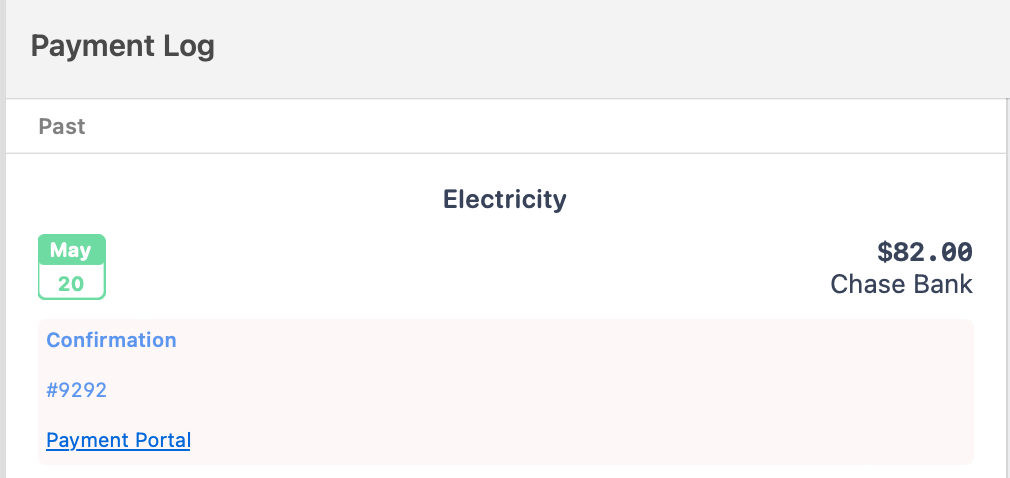
🧑💻 Markdown support in Payment notes
Notes for payments will now render with basic markdown syntax
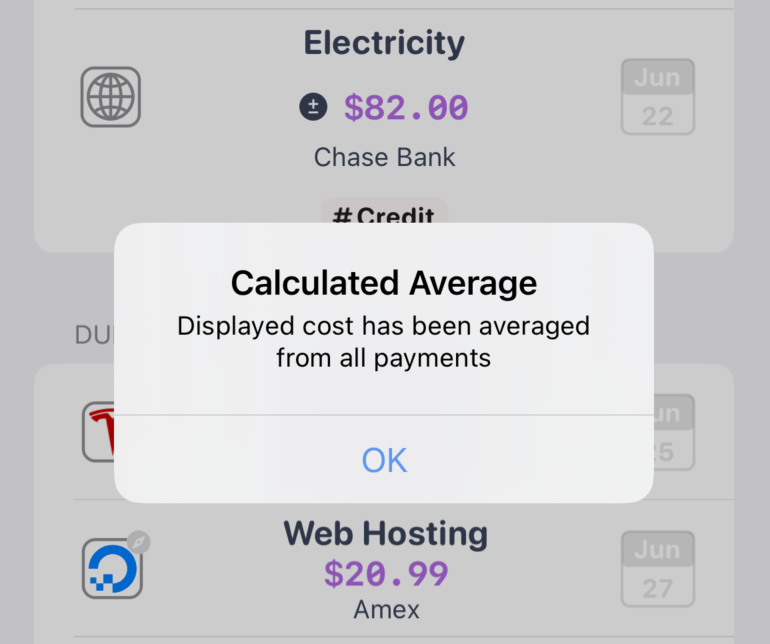
🧮 Calculated costs for bills without a specific amount
Bills don't have to have an exact amount due. Just enter the amount you pay every month and let Bills io calculate the average amount. Oh, and yes, this is automatically added to your average Bill spend calculations.
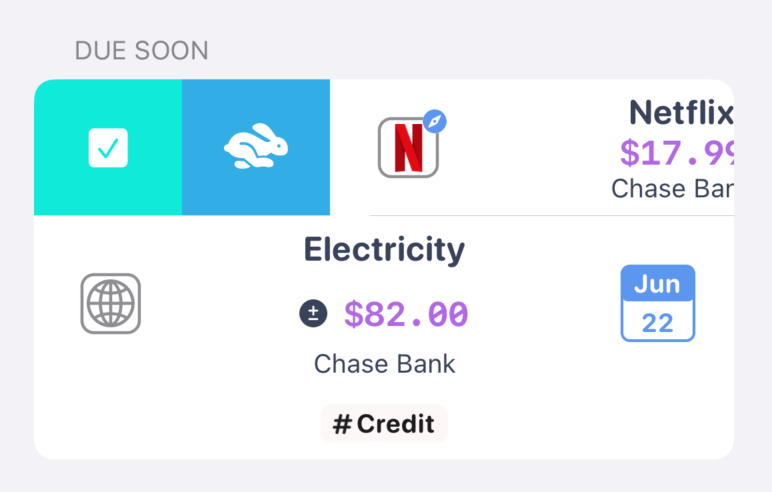
👆 New swipe actions throughout the app
Swipe to pay, swipe to archive, and swipe to restore that accidentally archived Bill.
Fixes
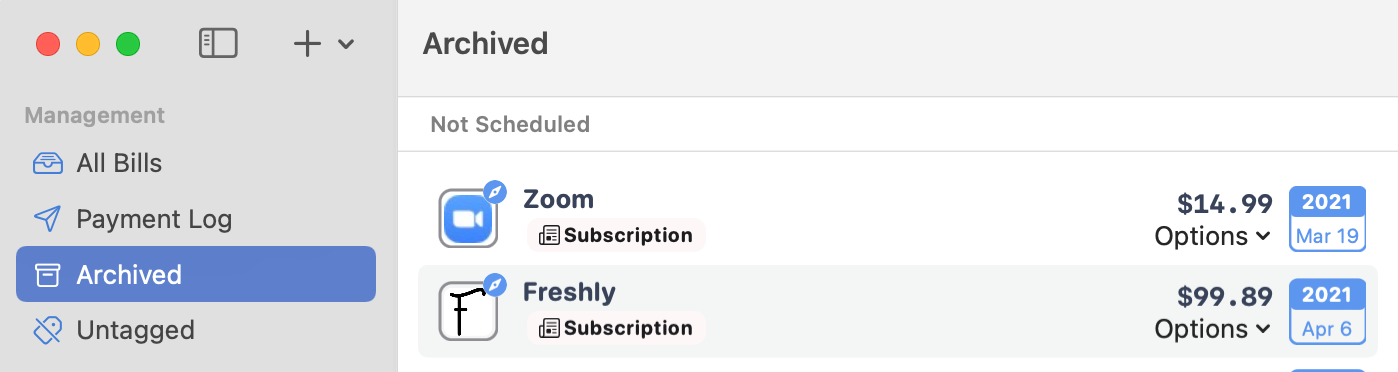
🗑 Archived bills are now more distinguished from active bills
Bills io now includes a dedicated archived Bills section.
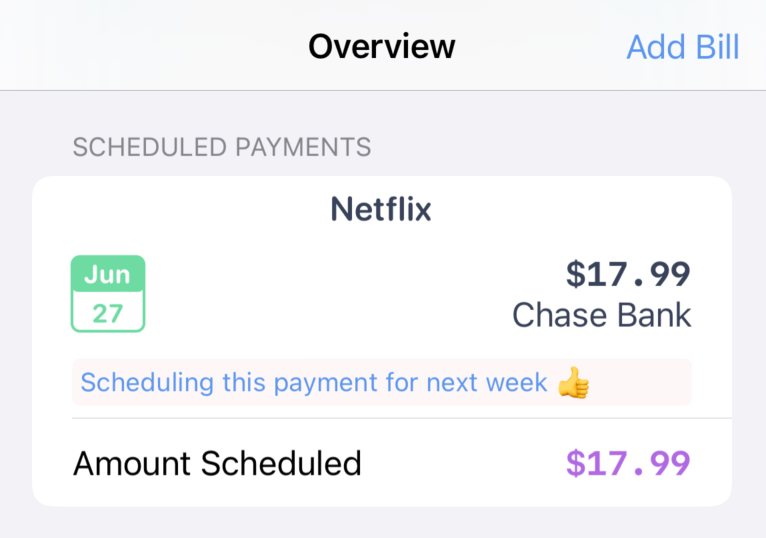
💸 Future payments now have a dedicated overview feature
Schedule a payment for a later date online, and now you can record that in Bills io in a dedicated section. Come back later to remind yourself of what payments are still processing.
This update includes a complete Data syncing update to bring live refreshing data across all views. Future versions will use this for better multi-window support on macOS and iPadOS. The app has also been fully translated into Spanish and includes support for local currency display. Filtering is improved with additional filters to better break down lists of Bills.
A lot of stuff "under the hood", but necessary for upcoming changes.
Features (Free Tier)
- iPad Multi-Window Support
- Archiving and restoring (Your "deleted bills are here")
- Payment detail viewing
- Refreshed Overview Tab on iOS
- Tappable filters for each Overview section
- Background notification refreshing
- Localization support with a full Spanish translated version
Fixes
- Data syncing and management refresh
- Simplified user interface
- Dedicated sidebar for iPad
Premium Only
- Change the alert time to any time
- Larger more apparent note ui
- Quick switch collections inside bills list
Free
- Relocates Create Bill, Pay, and Open in Safari
- See next upcoming bills in Overview
- Create new bill look and feel
- Tap to toggle "Every day, month, etc" when scheduling
- New Scheduling summary in plain english
- Revises bill details page
- Schedule bill dates to repeat on the last day of the month
Fixes
- Notification on close for macOS
Features (Premium Tier)
- Payment Notes, add confirmation number, etc to each payment
Features (Free Tier)
- UI & Layout Updates, iPhone tab bar layout and tightening the interface throughout
- Notification badge fixes
- Text editing enhancements
- Skip payments, mark payments as skipped but schedule for next pay date
- Bills overview dates for better context (Avg. Monthly, Due this Week, etc.)
- Bills archive instead of delete, archived view coming later
- Paying a bill that does not repeat auto-archives now